SASSA Status Check on WhatsApp

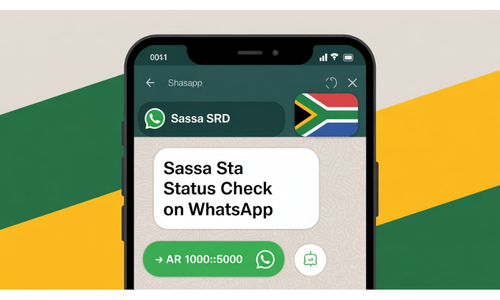
In South Africa, the SASSA SRD R370 grant helps thousands of people with money for basic needs like food and housing. If you applied for this grant you can check its status using WhatsApp. This method is fast simple and free letting you get updates without leaving home.
Why Checking Your Grant Status Matters
After applying for the grant you need to know if it’s approved, rejected, or still being reviewed. Using the SASSA 370 WhatsApp number you can get this information quickly. It’s free because WhatsApp doesn’t use data on zero rated networks. This saves you time and money and you can check updates from anywhere.
Table of Contents
Table of Contents
Step-by-Step Guide How to Check SASSA Status on WhatsApp
What You Need
Before starting make sure you have the following:
- A smartphone with WhatsApp installed.
- Your South African ID number.
- The phone number you used when applying for the SRD R370 grant.
These are the only things you need to check your status.
SASSA helpline WhatsApp number
Always use the official SASSA WhatsApp number and avoid fake numbers to protect yourself from scams.
082 046 8553
These are the only things you need to check your status.
Step 1: Save the SASSA Number
First, save the official SASSA WhatsApp number in your phone. The number is 082 046 8553 also known as the SASSA helpline WhatsApp number.
Enter the number 082 046 8553 and save it.
Now open WhatsApp and search for “SASSA WhatsApp” in your contacts. The saved contact will show up.
Open your phone’s contact list.
Add a new contact named “SASSA WhatsApp.”
Step 2: Start a Chat
Tap on the “SASSA WhatsApp” contact to open the chat screen. This is an automated system that guides you through each step. You don’t need to talk to a person which makes it quick and easy.
Step 3: Send the Word “SASSA”
In the chat type “SASSA” and send it. The system will reply with a menu showing different options like checking your status or getting other information. The menu is easy to understand and gives clear instructions.
Step 4: Choose the SRD Option
From the menu pick the “SRD R370 grant” option. This is usually option 1. Type 1 and send it. The system will take you to the next menu.
Step 5: Select “Check Status”
In the next menu choose “Check application status.” This is usually option 1 again. Type 1 and send it. The system will now ask for more details.
Step 6: Enter Your ID Number
The system will ask for your South African ID number. Type your 13-digit ID number without spaces like 1234567890123. Double check for mistakes and send it.
Step 7: Enter Your Application Phone Number
Next the system will ask for the phone number you used when applying for the grant. Enter the correct number like 0812345678 and send it.
Step 8: Get Your Status Message
After sending your ID and phone number the system will check your status in a few seconds. You’ll get a message showing if your application is:
What Your Status Result Means
Each result has a different meaning. Here’s a table explaining them:
| Status | What It Means | What to Do Next |
|---|---|---|
| Approved | Your grant is approved. The message may show a payment date and bank details. | Wait for the payment on the given date. |
| Declined | Your application was rejected, possibly due to another income source or ID issues. | Visit the SASSA website for a SASSA status check appeal. |
| Pending | Your application is still under review. | Check again after a few days. |
| Reapplication Required | Your old application is no longer valid; you need to apply again. | Reapply on WhatsApp or the SASSA website. |
What to Do if Your Application Is Declined
If your application is rejected you can appeal. For a SASSA status check appeal, visit the official SASSA website at https://srd.sassa.gov.za. You can’t submit an appeal on WhatsApp but you can get information there. Follow the website’s instructions for the appeal process.
Benefits of Using WhatsApp
Checking your SASSA grant status on WhatsApp has many advantages:
- Fast Process: Get updates in minutes.
- Free Service: No data is used on zero rated networks.
- Always Available: Access the service 24/7.
- No Office Visits: Perfect for people living far from SASSA offices.
This service is great for those who live far away or have limited internet access.
Tips for Checking SASSA Status on WhatsApp
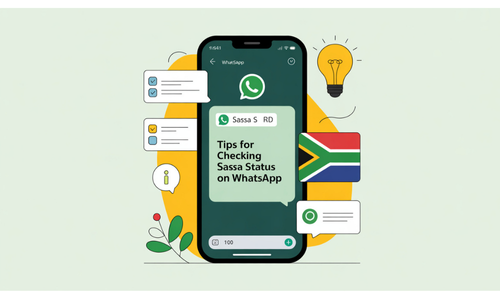
- Make sure your WhatsApp number is active.
- Use the same phone number you used when you applied.
- Check your internet connection before starting.
- Save the correct SASSA WhatsApp number: 082 046 8553
- Do not share your ID or personal info with unknown numbers.
Common Mistakes and How to Fix Them
1. Wrong ID or Phone Number
If you enter the wrong ID or phone number the system cannot find your record. Check your details and try again.
2. No Reply from SASSA WhatsApp
Sometimes the system is busy. Wait a few minutes and try again. Or close WhatsApp and restart it.
3. Old Phone Number
If you changed your phone number after applying the system will not find your record. Try checking using the number you used during application.
Can You Appeal Through WhatsApp?
No. You cannot submit an appeal using WhatsApp. If your application was declined and you want to appeal you must go to the official SASSA SRD website:
You will find the appeal link there.
Final Thoughts
Checking your SASSA grant status on WhatsApp is a simple fast and reliable way to stay updated. You only need a smartphone WhatsApp and your correct details. This method saves you from visiting SASSA offices or using a website. Here’s a quick recap:
- Save 082 046 8553 as “SASSA WhatsApp.”
- Send “SASSA” in the chat.
- Choose SRD and check status options.
- Enter your ID number and phone number.
- Get your status message.
Use this method to check your grant status anytime. It’s safe easy and always available.
Use this method whenever you want to know your SRD grant status. It is safe, easy, and always available.
How to Check R350 via WhatsApp?
Send “SASSA” to 082 046 8553, choose check status, and enter your ID number.
What Is the Phone Number for SASSA R350?
The official SASSA WhatsApp number is 082 046 8553.
What If Your R350 Is Approved but No Pay Date?
Wait a few days and check again or contact SASSA via their website.
How Do I Change My SASSA Phone Number on WhatsApp?
Update your phone number through the SASSA website or office.